Train on your bike. Not in a game.
TrainerControl connects to your smart trainer or eBike controller over Bluetooth and then stays out of the way. Hold a target power in ERG, climb Alpe d'Huez with the grade changing under your wheels, and watch your fitness build week after week. No avatars, no lobbies. Open the app, pair your bike, ride.
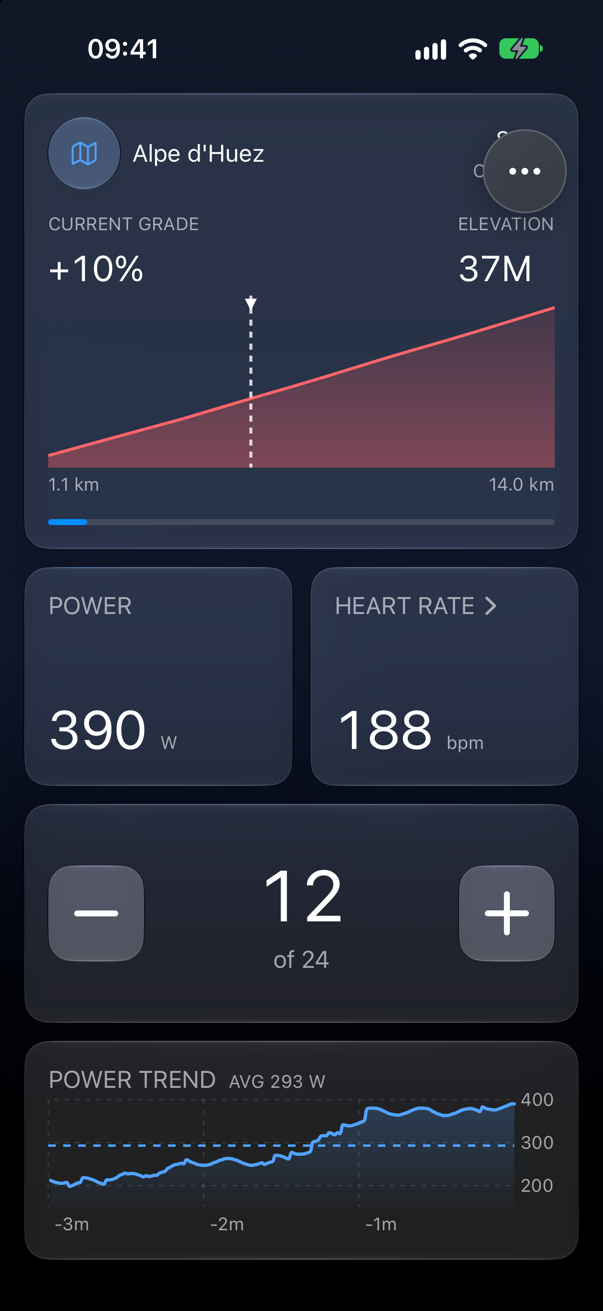
A training tool, not entertainment
Virtual worlds are fun, and plenty of riders want exactly that. I built TrainerControl for the other riders: the ones who want to do the session, read the numbers and get on with their day. Every screen exists to help you ride, and the price is set for a tool rather than a game subscription.
Works with the trainer you have
Any trainer or eBike controller that speaks the Bluetooth FTMS standard pairs in seconds. Add a Zwift Click for virtual shifting and any standard heart rate strap or armband. All three stay connected at once, with no vendor apps and no extra accounts.
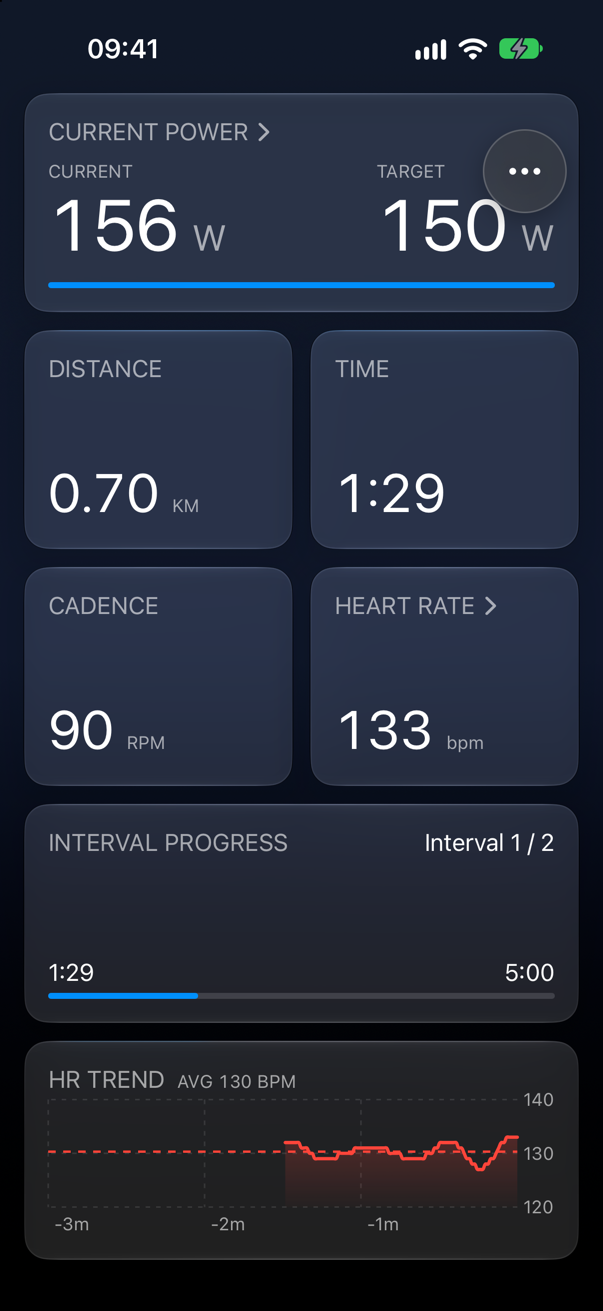
Set the watts. The trainer holds them.
Pick a target and the trainer adjusts resistance so you hold it whatever your cadence. Build structured intervals by time or distance, save them as your own workouts, and scale the whole session up or down mid-ride when your legs say so. Every interval is recorded as its own lap.
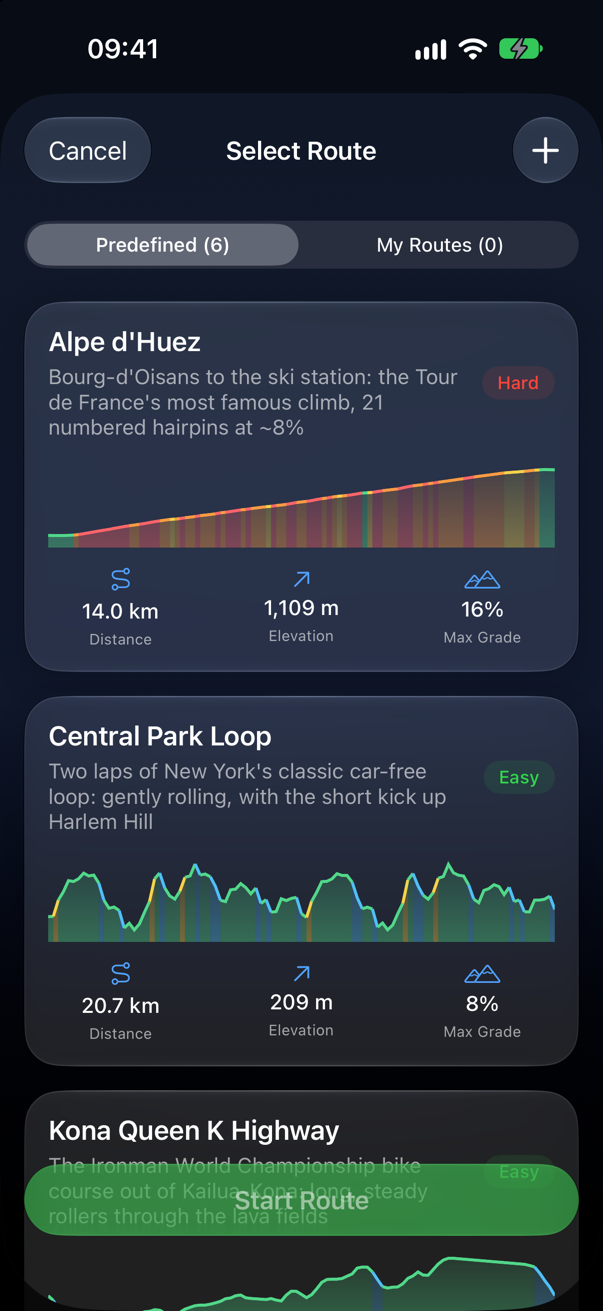
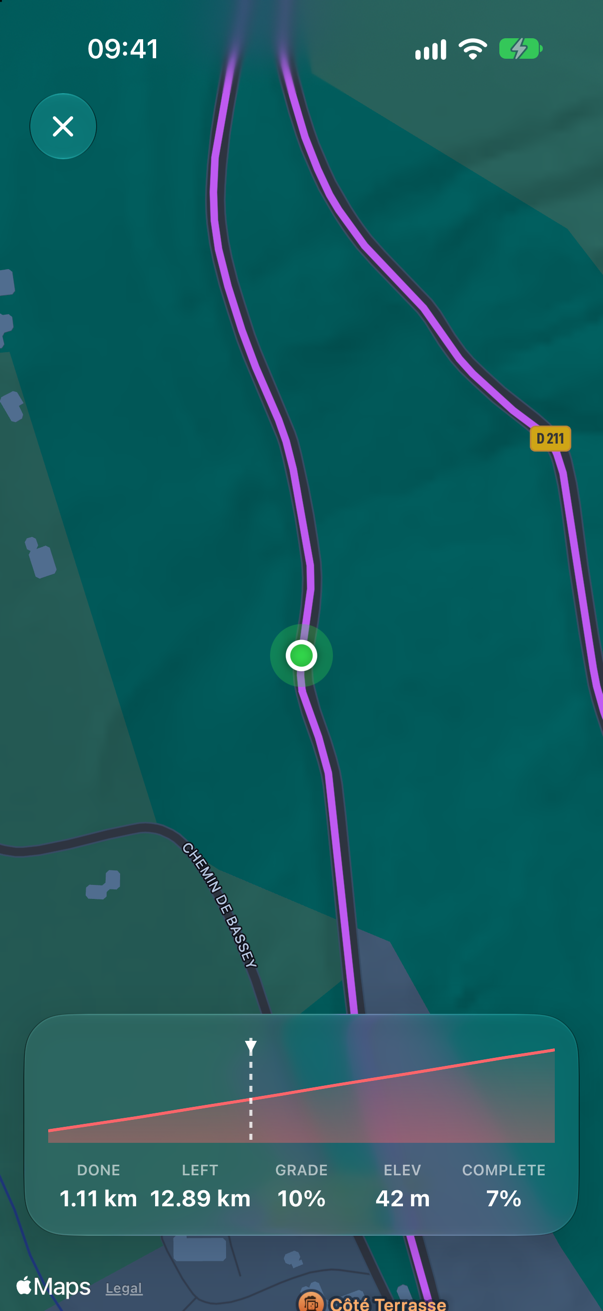
Ride real roads and feel every gradient
Alpe d'Huez, Mont Ventoux, the Stelvio, the Kona Queen K, the Milan San Remo finale and Central Park, all built from real-world tracks. The grade changes as you climb, the elevation profile is coloured by steepness, and a live map follows you through every hairpin. Import any GPX file or draw your own route on the map.
Your ride screen, your numbers
Every workout screen is a grid you arrange yourself. Tap edit, add the cells you care about and remove the ones you don't. Pick from live power, cadence, speed, distance, time, heart rate and W/kg, or 3 minute trend charts for power, cadence and heart rate. Make a cell a single tile, a wide row, or a large block for a chart.
ERG, interval, free ride and route rides each remember their own layout, and iCloud carries it to your iPad.
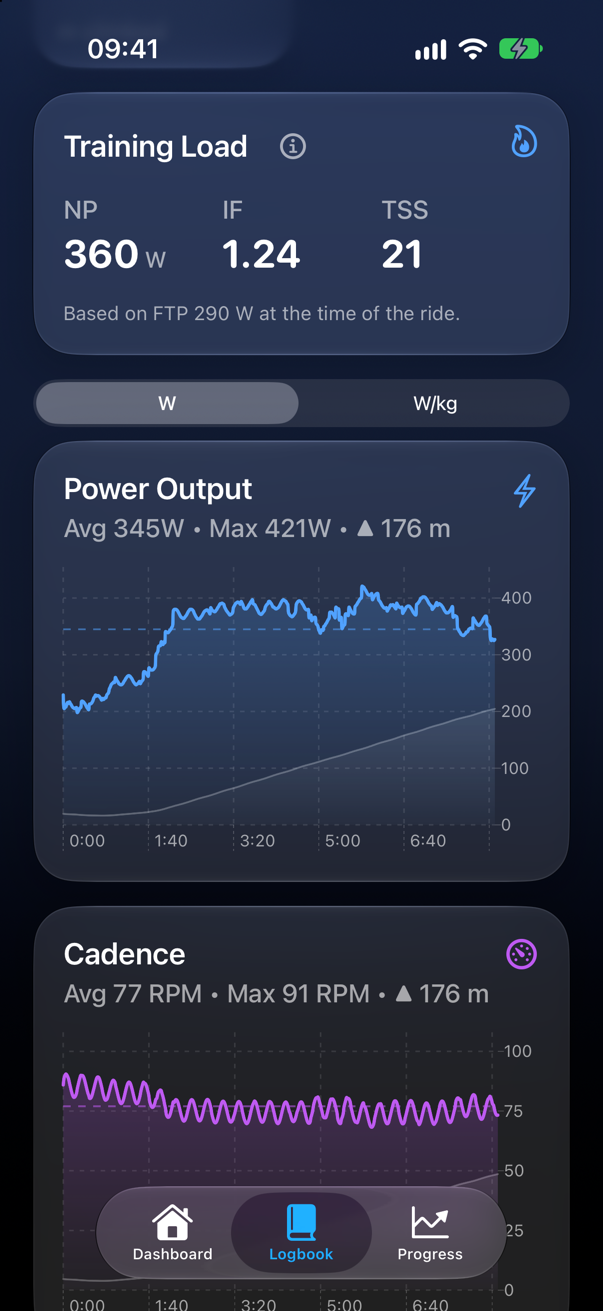
Every ride, read properly
Each ride lands in your Logbook with power, cadence and heart rate charts you can scrub second by second. Normalized Power, Intensity Factor and Training Stress Score come with it, plus time in each power and heart rate zone. Export to TCX or send the ride straight to Strava.
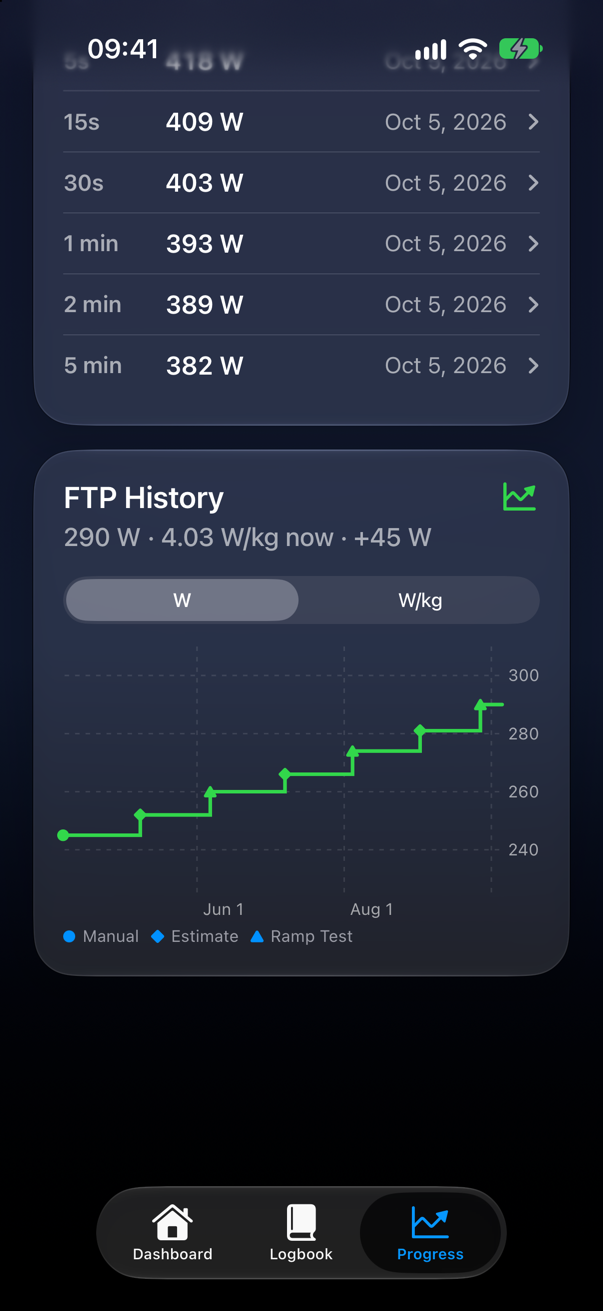
See the fitness you are building
Fitness, fatigue and form tell you whether to push or to rest. Your best power curve runs from 5 seconds to an hour and flags new records the moment you set them. FTP history shows how far you have come, in watts or in W/kg.
Your threshold, kept up to date
Take the guided ramp test: a warm-up, then 20 more watts every minute until you cannot hold it. Or just ride. After a hard 20 minute effort with your heart rate strap on, TrainerControl spots that your FTP has moved and offers to update it. Every zone, target and score follows.
Virtual shifting
Pair a Zwift Click and shift through virtual gears on any FTMS trainer. Each click changes how the climb feels, with nothing extra mounted on the bike.
Strava and TCX
Upload a finished ride to Strava in one tap, or export a TCX file with laps, power, cadence and heart rate for TrainingPeaks, Garmin Connect or anywhere else.
iCloud sync
Rides, routes, custom workouts and your athlete profile follow you between iPhone and iPad. Free, on by default, and stored in your own iCloud.
Heart rate zones
Any Bluetooth chest strap or armband works. Your live BPM sits next to your power, is saved with every ride, and is split into zones from your max heart rate.